


MarkDown Extensions in CoWeM
Steven J Zeil
CoWeM pre-processes Markdown documents using a macro processor described in more detail later. Using that, I have added a number of extensions to the basic Markdown. Theme may not always adhering to the Markdown goal of keeping the source text looking suggestive of the formatted results, but they do add facilitiesthat I find particularly useful.
1 Inline mark-up
These extensions can be applied to text inside a paragraph:
1.1 Incremental Lists
-
Lists can be marked as incremental
-
so that, when documents are presented in the slides format,
- the list elements will be revealed one at a time.
You can view this document as slides to see this in action.
1.2 firstterm and emph
I have a markup for new terms being introduced for the first time in a document, and for very strong emphasis.
1.3 Highlighting and Callouts
I also have a set of markups for highlighting text in one, two, three, and four colors. I have commands to generate callout numbers ➀ , ➁ , …, ➈ . Both the callout numbers and color highlighting are generally used in conjunction with the code markups discussed later.
2 Block mark-ups
Block mark-ups flag a block of paragraphs for special formatting. Most of these are begin by a \b… command and terminated by a matching \ecommand.
2.1 Examples
Example 1: An Example of ExamplesFor example, you can introduce numbered examples.
As a general rule, these \b… and \e… commands should be entered on a separate line, as if they constitute a separate paragraph. (This was required in older versions of this software. It’s more relaxed in the current version, but it is probably still a good idea if only because it improves the visibility of the commands and helps you make sure that, for every \b… you have a corresponding \e…
2.2 Sidebars
I do like an occasional sidebar.
Sidebars can be width-constrained so that they will not extend horizontally past a certain percentage of the page width. Any multiple of 5 can be given as a maximum with. 33 and 67 are also supported.
If no value is given, the default is 50.
If the sidebar contents have a “natural” width less than the value given, it will stay that wide. the value is only used to set a maximum width.
2.3 Slideshows
  | 1 of 3 |   |
2.4 Splitting into Columns
Every now and then, I like to present two columns of material, side-by-side.
// Do something
void foo();
Like this, for example. The right column will wind up getting bumped down below the left.
// Do something
void foo();
This is not a particularly robust formatting, however, and things get ugly if the content is a bit too wide for the screen.
3 Hiding and Revealing Text
A variation on this is the ability to load long code listings, contained in a separate file providing both a link to the code as a separate HTML page and a click-to-reveal button to expand the listing in place.
#ifndef UNITTEST_H
#define UNITTEST_H

#include <string>

/*
 *  This class helps support self-checking unit tests.
 *
 *  A small collection of test assertions (inspired by the JUNIT
 *  package for Java is supported). The number of successes and failures
 *  of these assertions are tallied and can be accessed at any time (typically
 *  at the end of the test suite).
 *
 *  In addition, detailed error messages are printed for the first
 *  DETAIL_LIMIT failures. (After that additional failures are tallied
 *  but not printed.)
 *
 */

class UnitTest {
private:
  static long numSuccesses;
  static long numFailures;
  static long DETAIL_LIMIT;
  static long NOTICE_INTERVAL;

public:
  // The main test function - normally called via one of the macros
  // declared following this class.
  static void checkTest (bool condition, const char* conditionStr,
			 const char* fileName, int lineNumber);
  static void checkTest (bool condition, const std::string& conditionStr,
			 const char* fileName, int lineNumber);


  // Summary info about tests conducted so far
  static long getNumTests()     {return numSuccesses + numFailures;}
  static long getNumFailures()  {return numFailures;}
  static long getNumSuccesses() {return numSuccesses;}

  // Change the number of detailed messages to be printed.
  static void setDetailLimit (long limit) {DETAIL_LIMIT = limit;}

  // Start a fresh tally.
  static void reset() {numSuccesses = numFailures = 0L; NOTICE_INTERVAL = 10L;}

  // Print a simple summary report
  static void report (std::ostream& out);
};


/**
 *   Macros - actual tests will invoke one of these
 */

#define assertTrue(cond) UnitTest::checkTest (cond, #cond, __FILE__, __LINE__)
#define assertFalse(cond) UnitTest::checkTest (!(cond), "!( ## cond ## )", __FILE__, __LINE__)

#define assertEqual( x, y ) UnitTest::checkTest ((x)==(y),\
                            "assertEqual("  #x "," #y ")", \
                            __FILE__, __LINE__)

#define assertNotEqual( x , y ) assertFalse ((x)==(y))

#define assertNull(x) checkTest ((x)==0)

#define assertNotNull(x) checkTest ((x)!=0)

#define succeed UnitTest::checkTest (true, "succeed", __FILE__, __LINE__)

#define fail UnitTest::checkTest (false, "fail", __FILE__, __LINE__)


#endif
A link is included to the unmodified source code file (to facilitate downloading), so that file should be one of the support files for the document set.
4 Graphics
4.1 Positioning Graphics
As noted earlier, Markdown already has support for inserting graphics into a page. You can place graphics inline like this:  .
.
You can also type HTML img tags directly, 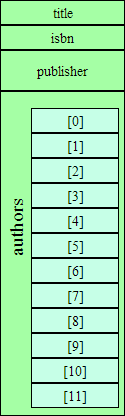 which makes it possible to use the “
align” attribute to position your graphics.
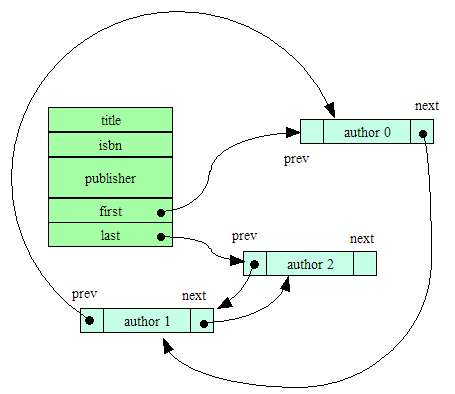
A problem with this can occur when long vertical graphics are accompanied by relatively short text (particularly when viewed on a wide screen).
The floating graphics can stack up on one another, leading to a confusing layout.
As a fix for this, I provide a CSS style class noFloat with the attribute clear:both. This can be inserted as an empty paragraph:
This has the effect of forcing any following text and graphics to be positioned after the end of floating graphics, sidebars, or other floating content.
However, I find that I often wind up using the same graphics sequences over and over, so I have some shortcut commands. The command \picOnRight(_filename_,_pct_) is equivalent to
<div class="noFloat"></div>
<img src="filename.png" align="right"
     style="max-width: pct%/>"
It drops below any existing floating content, then inserts a floating graphic on the right, reducing the graphic’s size only if it exceeds a width of pct%.
Similarly, I can insert graphics on the left instead of on the right.
Or I can put them inline within the text.
The ‘A’ variants of these commands add simple (no double-quotations or commas) alt-text for accessibility.
4.2 Generated Graphics (PlantUML & Mermaid)
4.2.1 PlantUML
If a code block (introduced with three back-ticks) is labeled with the language name “plantuml”, then the code block will be replaced by a graphic representing a UML diagram as interpreted by PlantUML. (This mechanism is similar to the support for PlantUML in the GitHub dialect of Markdown.)
It is possible to add CSS styles to the generated image using the class= modifier. The most obvious application of this is to cause the image to float on the right or left.
Change the “right” to “left” to float on the other side.
Change to “center” for a centered, non-floating figure.
It is actually possible to add multiple CSS class names (inside single-quotes).
(Although you would have to examine the generated HTML to see that the useless class “foobar” is attached to the image.)
4.2.2 Mermaid
Support is also available for Mermaid, another Markdown-friendly graphics processor.
If a code block (introduced with three back-ticks) is labeled with the language name “mermaid”, then the code block will be replaced by a graphic representing a diagram as interpreted by Mermaid.
graph TD
  need[Need a graphic]
  inUML{Is it UML?}
  need --> inUML
  thenPart[I prefer PlantUML]
  inUML --yes--> thenPart
  elsePart[Use Mermaid]
  inUML --no--> elsePart
  joined([done])
  thenPart --> joined
  elsePart --> joined
As with the PlantUML diagrams, class info can be attached to alter the formatting.
stateDiagram
	[*] --> Test
	Test --> [*]: working
    Test --> Debug: broken
    Debug --> Fix
    Fix --> Test
5 Code Markup
To facilitate discussing programming code, I have some special markups that can be inserted into C++ or Java code as comments. This way it does not affect the syntactic integrity of the code. You can load it into a programming editor or run it through a compiler with no ill effects. But when the HTML is generated, these comments are converted to appropriate markup.
If a /* */ style comment contains only a single digit number, e.g., /*1*/, it is converted to the corresponding callout symbol, which can then be discussed in the text:
Anatomy of a for loop
for (int i = 0➀; i < n➁; ++i➂)
   cout << a[i] << endl; ➃
➀ represents the initialization of the loop.
➁ is the loop condition.
➂ is the repeat action.
➃ is the loop body.
Similarly, if a /* */ style comment contains only +1, +2, +3, or +4, this turns on a background color for highlighting. This highlighting is turned off with -1 , -2, -3, and -4, respectively. Also, + and - by themselves are shorthand for +1 and -1.
Anatomy of a for loop
for (int i = 0; i < n; ++i)
   cout << a[i] << endl;
Here we see the initialization, condition, repeat action, and body components of the loop.